For researchers, PhD students, and academic writers
From your first note
to your final submission
Read, synthesize, write, submit with confidence — one unbroken chain.
Literature reading, evidence synthesis, AI writing, and academic typesetting in one workspace — every claim stays traceable to its source, and nothing without a verifiable identifier can be cited.
What drains you isn't the writing
- Notes scattered across five apps: migrating them means starting over
- AI writes a wall of text that doesn't connect to what you've read
- You find it falls apart right before the deadline — and the formatting still needs an all-nighter
Mozen welds them into one chain.
The life of a paper in Mozen
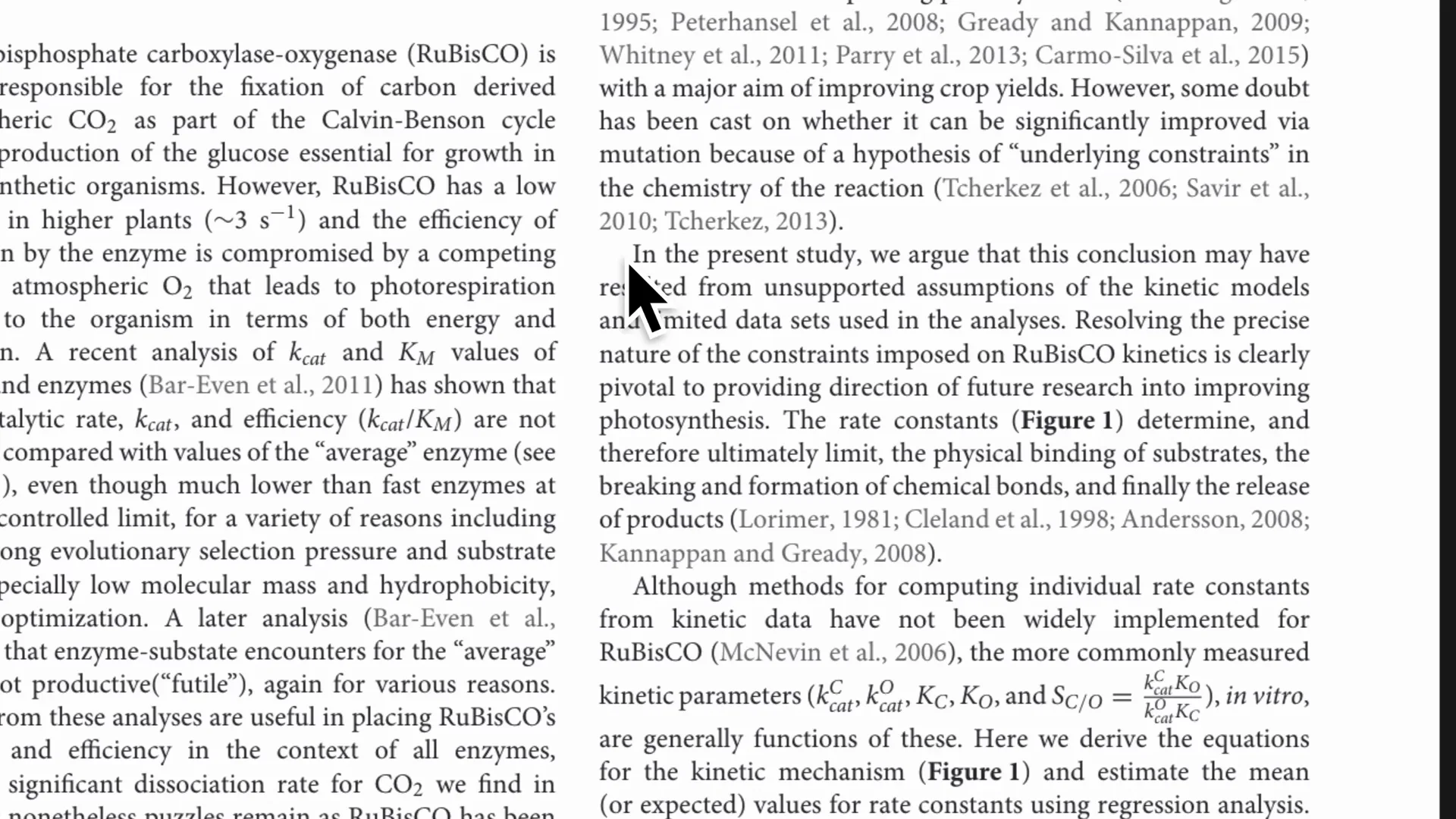
Highlight a line and write the note in your own words — the source follows automatically, one click back to the original.
7-day free trial · cancel anytime
Draft, typeset, and work on it together
The four steps above show the path. These three are where a workspace differs most from a stack of tools.
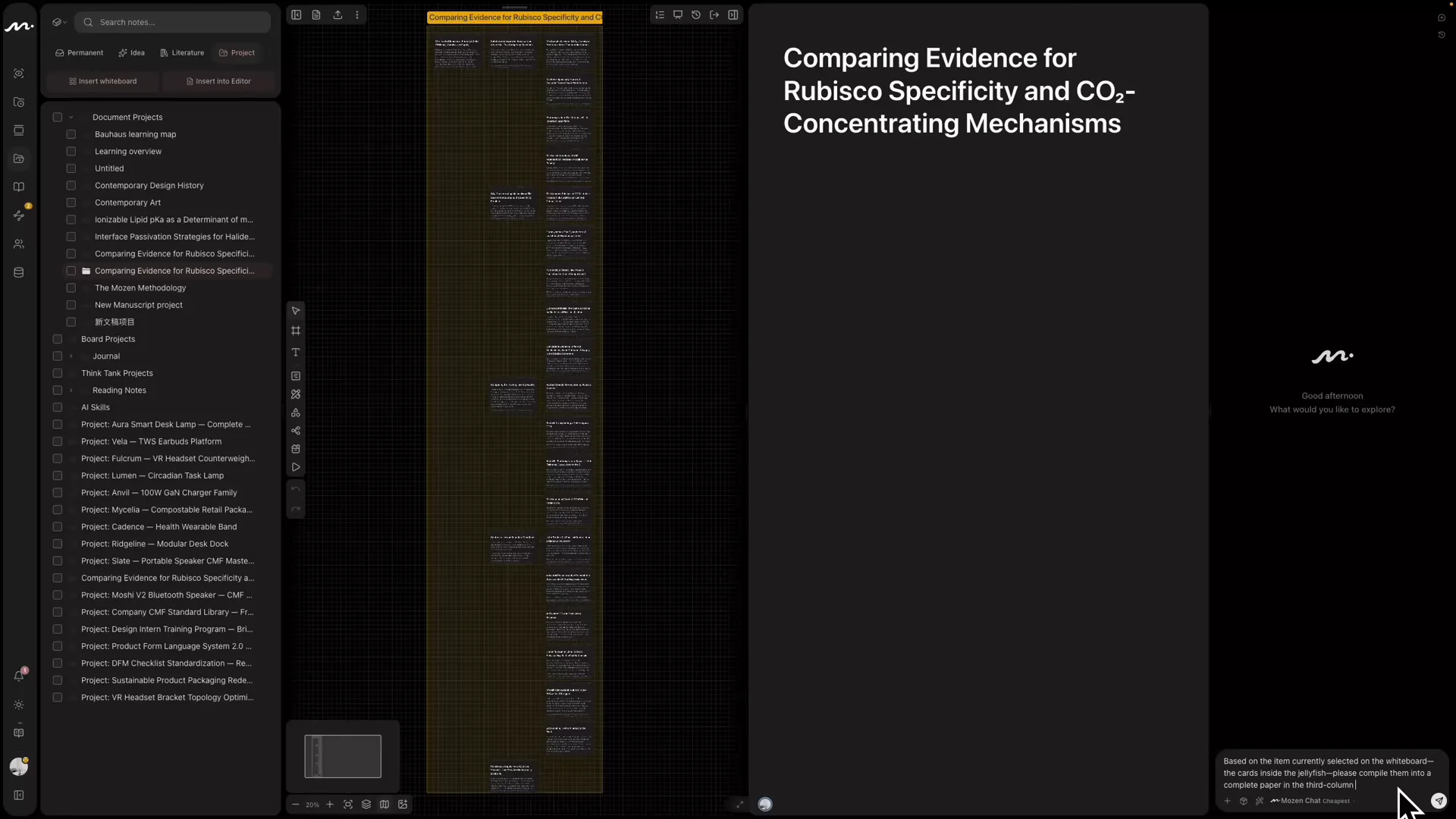
You approve the outline, AI drafts from the literature
AI drafts only from your notes and verified sources; inline citations build the bibliography automatically — the final word is yours.
What you see is what you submit
Ten academic layouts switch live, and any journal’s citation style from a searchable library of 10,000+ — body, citations and bibliography reflow together, then export to PDF or LaTeX.
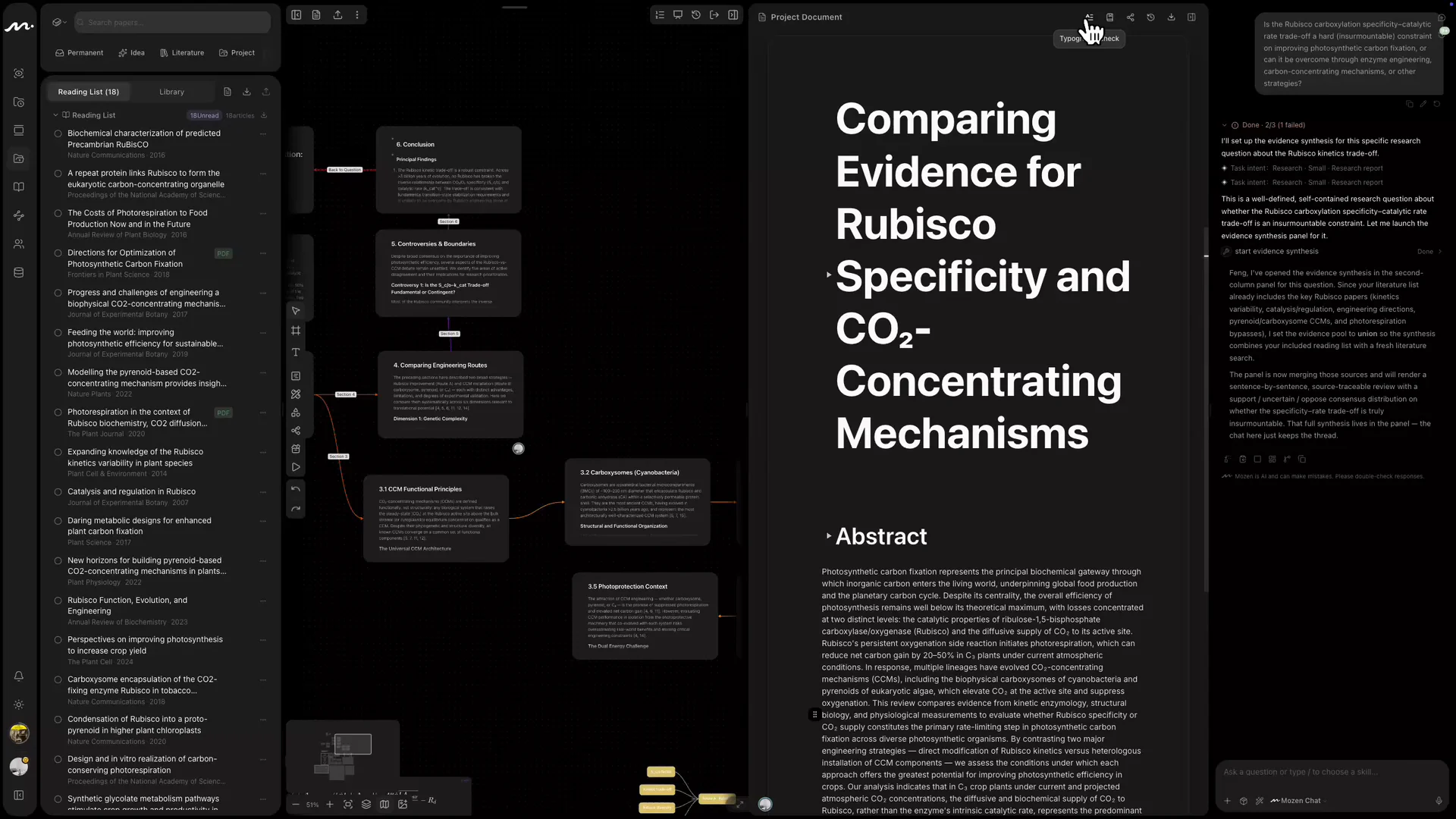
Your advisor's comments land on the sentence
Owner, Admin, Editor, Viewer — billed by editor seats, so reviewers who only read cost nothing. See whose cursor is on which paragraph, comment straight onto a card or whiteboard object, and keep the lab’s discussion in a room beside the work, @Agent included.
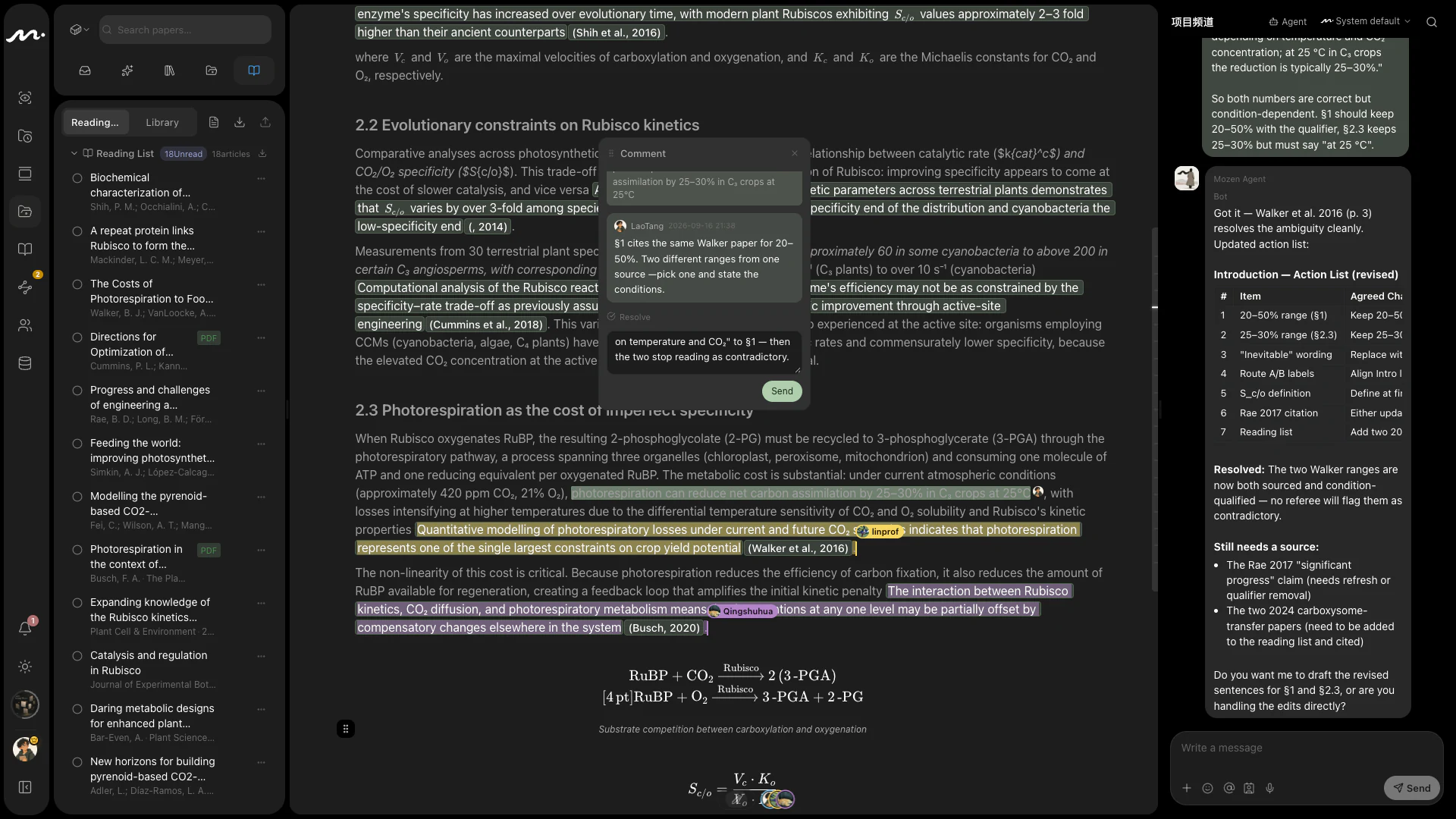
Permanent notes are dragged out, not piled up
The genuinely useful bits take root in the tree — a card from three years ago shows up in your next paper.
Surfacing links you never noticed
Cards close in meaning but never connected light up, and gaps become visible — your next question is hiding there.
Lay your thinking on an infinite canvas
Pull notes straight onto the board, arrange chapters, draw relations — think it through before you write.
Four commitments for serious research
The source never detaches
From highlight, to inline citation, to the reference list — one source chain that never comes apart.
Verified before it can be cited
A source has to carry a real identifier — a DOI, an OpenAlex record, a resolvable link — before anything can cite it. Without one it can sit in your reading list, but it never reaches your bibliography.
A double gate before submission
Review picks at the argument, integrity checks the citations — problems surface before you submit, not in the rejection letter.
You think, it guards
You organize the notes, you form the views, you approve the outline — AI assists your research, it doesn't ghostwrite it.
Eight subscriptions' worth of work, done in one workspace
| What you need | Point tools | With Mozen |
|---|---|---|
| Reference management & reading | Zotero + PDF reader | Highlight into sourced cards; import your whole Zotero / BibTeX library |
| Search & evidence synthesis | Elicit / Consensus | Cross-database search, sentence-by-sentence sourced reviews |
| Knowledge organization | Obsidian / Notion | Bring your Obsidian vault or Notion pages; one knowledge tree, AI surfaces the links |
| Visual thinking | Miro / Heptabase | Infinite whiteboard, notes straight onto the board |
| AI writing & citations | Jenni / ChatGPT | Drafts from your own library; citations become the bibliography |
| Pre-submission checks | Paperpal | Review + integrity, a double gate |
| Team collaboration & review | Google Docs / Overleaf sharing | Roles and seats, live presence, comments anchored to the object — feedback lands on the material, not in a chat |
| Typesetting & export | Word / Overleaf | Layout and citation styles in sync; one-click export to spec |
| Total | 8 subscriptions, data scattered | 1 workspace, one chain to submission |
Elsewhere you shuffle formats between tools; in Mozen what flows is sourced thinking. Notes leave as Markdown or JSON, your library as BibTeX / RIS; finished papers export to PDF / LaTeX. Data comes in, and it goes out.
7-day free trial · cancel anytime
Turn a book or a whole field into a map
The same workflow that writes your paper also helps you learn a new field — see the whole first, then go cell by cell.
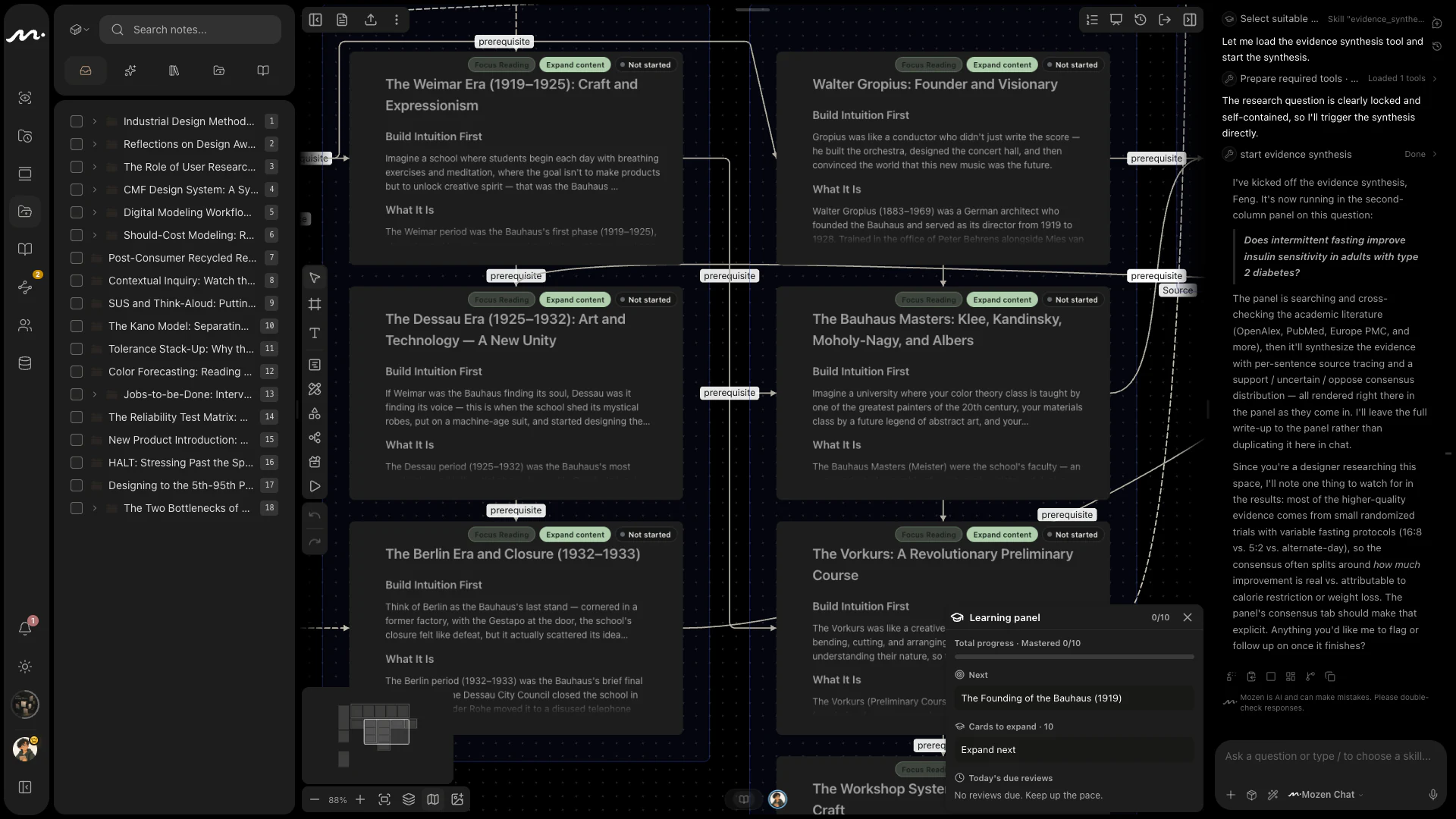
01Framework first
Give it a book or a topic; it lays out the concept skeleton on the whiteboard — see the forest before the trees.
02Expand on demand
Open any concept into a lesson card with one click — each self-contained, each traceable.
03Practice-driven
Mastery is measured by how you answer, not by 'I think I get it.'
04Grows into your tree
Learning notes drag into your knowledge tree — today's lesson becomes tomorrow's research.
What else the same sourced notes can become
Research has to be presented, taught and published. The posters, slides and figures come out of the same sourced notes — nothing is retyped.
And more, still growing.
Start from wherever you already are
From proposal to defense, one tool
- 1Before you start, the evidence panel maps consensus and debate
- 2Before your advisor sees it, run review and integrity checks
- 3Degree layouts like GB/T and APA, one click
A knowledge asset that compounds
- 1Reading settles into a permanent knowledge tree
- 2Starlight Insights surfaces links you missed
- 3New projects start from what you already have
What you learn, you keep
- 1Open a learning map for any book, paper, or topic
- 2Practice tells you what you actually know
- 3Learning and research grow on one tree
From spark to finished piece, all here
- 1Posters, slides, infographics — from one line
- 2Create freely on an infinite whiteboard
- 3Explainers and teaching notes, from the same sourced material
One library, one tree, everyone on it
- 1The literature and the knowledge tree belong to the group, not to whoever downloaded it
- 2Advisors comment in place; editor seats are counted, reading is free
- 3The lab room keeps discussion beside the work — @Agent included
You might be wondering
Which databases does search cover?
Search centers on international databases like OpenAlex, PubMed, and arXiv. Any PDF you import — in any language — works fully for reading, notes, and citations, with formats down to GB/T 7714.
What about my thousands of references in Zotero?
Import your whole Zotero / BibTeX / RIS library: references and citations carry straight over, no re-typing. Import PDFs into the reader as you need them.
What about my notes in Notion or Obsidian?
Bring an Obsidian vault or Notion pages (API or official export) from Settings: wiki links, tags, and attachments come along. Anything else that exports Markdown or HTML can use the generic importer.
Is writing with AI academic misconduct?
Mozen is built as research assistance: you approve the outline, AI drafts from sources in your own library, every claim stays traceable, and the final word is yours. The integrity check also prompts AI-use disclosure. Always follow your institution's and target journal's AI policies.
Does it work offline? Can I take my data with me?
Keep writing offline; it syncs when you reconnect, with real-time collaboration across devices. Export notes as Markdown or JSON, and your library as BibTeX / RIS: nothing is locked in.
How does the free trial work?
A 7-day free trial — enough to run one full small workflow end to end; cancel anytime. The trial requires a card and renews automatically; subscriptions include AI credits, with add-on packs for heavy use.
Where technology meets Zen
Mo (墨), ink — the vehicle of writing. Zen (禅), a settled mind. Mozen believes the best tools dissolve into your work, silently — just you and your research, like ink settling on paper.
Your next paper starts here — and finishes here.
Run your first chain free: read one paper → take two sourced notes → organize them into your tree → export a spec-formatted page.
Start writing free7-day free trial, cancel anytime. The trial requires a card and renews automatically.